Silverfrost Forums

Welcome to our forums

%PL - some issues/questions

21 May 2020 9:07 #25485

Martin,

Obviously, you cannot snap the mouse since that’s the input device.

However, if you have successfully decoded the nearest grid point to the current mouse position (which I assume yesterday’s question was about), instead of the %pl call back writing the current position to the graphics area, it could:

  1. draw a symbol at the nearest grid point, e.g. draw_filled_ellipse@

  2. write the coordinates of the nearest grid point and other data, offset from the ellipse.

A few points to note:

  1. Origin of graphics area is top left, so graphics coordinates work in the 4th quadrant.

  2. draw_filled_ellipse@ will draw a filled circle with equal input major and minor diameters.

With this approach, as the user moves the mouse horizontally across the screen a series of circles will appear, giving the impression of the mouse snapping to a grid point.

Ken

21 May 2020 1:21 #25490

This demonstrates the process I described in my previous post. The nearest grid point to the mouse is highlighted and some information related to this is displayed on the screen.

module example
use clrwin
implicit none
integer, parameter :: dp=kind(1.d0), gw = 1000, gh = 800, N=20
integer :: handle_internal_gr = 1, handle_pl = 2
real(kind=dp) :: x_array(1:N), y_array(1:N)
integer       :: xy(1:N*N,1:N*N) = 0
real(kind=dp) :: x_pl(1:N*N), y_pl(1:N*N), dx(1:N*N)

contains

integer function generate_data()
integer i,j,k
  x_array(1) = -5.d0
  y_array(1) = -5.d0
  do i = 2, N
    x_array(i) = x_array(i-1) + 1.d0 ; y_array(i) = y_array(i-1) + 1.d0
  end do
  i = 1 ; j = 1
  do while (i .le. N*N)
    do j = 1, N, 1
      do k = 1, N, 1
        x_pl(i) = x_array(j) ; y_pl(i) = y_array(k)
        xy(j,k) = i                     ! use this to access other information associated with the grid point.
        dx(i) = random@()  ; i = i + 1  ! for example a dx value
      end do
    end do
  end do
  generate_data = 2
end function generate_data

integer function plot()
integer, save :: iw
  iw = CREATE_GRAPHICS_REGION@(handle_internal_gr,gw,gh ) 
  if ( iw .ne. 1) STOP 'Failed to create internal graphics region' 
  iw = winio@('%mn[Close]&','Exit')
  iw = winio@('%`bg[white]&')
  call winop@('%pl[independent,x_array,link=none,symbol=6,gridlines,frame]') 
  iw = winio@('%`^pl[full_mouse_input]&',gw,gh,N*N,x_pl,y_pl, handle_pl, pl_cb)
  iw = winio@(' ')
  iw = DELETE_GRAPHICS_REGION@(handle_internal_gr)
  plot = 2
end function plot

integer function pl_cb()
character(len=30) cb_reason
integer(kind=7) i,j,k, x1p, y1p
real(kind=dp) x1r,y1r
character(len=30) output_string
  cb_reason = clearwin_string@('callback_reason') 
  if (cb_reason .eq. 'PLOT_ADJUST') i = COPY_GRAPHICS_REGION@(handle_internal_gr, 1, 1, gw, gh, handle_pl, 1, 1, gw, gh, 13369376 ) 
  if (cb_reason .eq. 'MOUSE_MOVE' ) then 
    x1p = CLEARWIN_INFO@('GRAPHICS_MOUSE_X') ; y1p = CLEARWIN_INFO@('GRAPHICS_MOUSE_Y') 
    i = GET_PLOT_DATA@(x1p,y1p,x1r,y1r)
    j = minloc(abs(x_array - x1r), 1)  ; k = minloc(abs(y_array - y1r), 1)
    i = COPY_GRAPHICS_REGION@(handle_pl, 1, 1, gw, gh, handle_internal_gr,  1, 1, gw, gh, 13369376 )
    i = GET_PLOT_POINT@(x_array(j),y_array(k),x1r,y1r)  !returns real*8 not integer
    x1p = nint(x1r) ; y1p = nint(y1r)
    call draw_filled_ellipse@(x1p,y1p,8,8,rgb@(255,0,0))
    write(output_string,'(A2,1X,F5.3)') 'dx',dx(xy(j,k))
    call draw_filled_rectangle@(x1p+10, y1p+10, x1p+140+10, y1p+20+10, rgb@(255,255,0))        
    call draw_characters@(output_string, x1p+10, y1p+10, rgb@(0,0,0))
  end if
  pl_cb = 2
end function pl_cb

end module example

program main
use example
implicit none
integer i
i = generate_data() ; i = plot()
end program main
21 May 2020 4:53 #25492

Quoted from Martin_K Paul, would be thinkable in near future to add to the %PL an option like [Point/Line Attributes/Description] which would take the attributes of each concrete point (like Point ID and its description like code or comment) if they were present at the point and would display such information in the graphic when hovering over the point with the cursor? I mean as simple as possible without the need of extensive programming with such option.

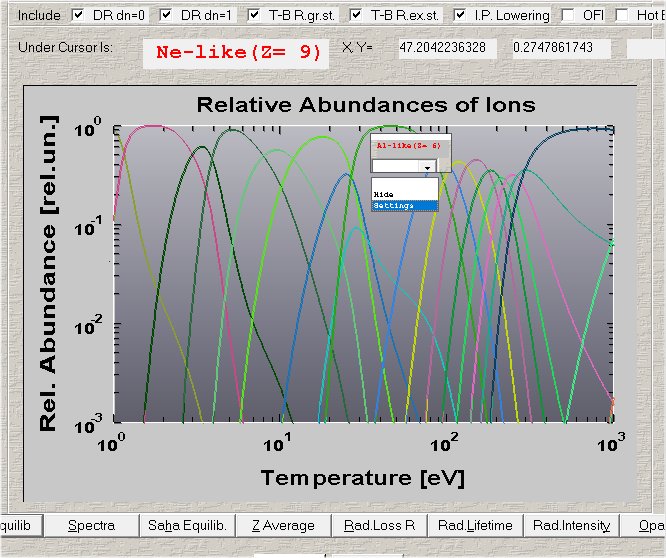
Since %pl is compatible with the %gr it is possible to make what you ask using just Clearwin capabilities. In previous post Ken showed that with yellow rectangle, I have done that by opening instead a small flyer which is standard Clearwin text/graphics window with the shadow without typical Windows frame where you can type and plot everything you want. When mouse moves the window is destroyed and appears in the new place as soon as movement stops. With the window transparency manipulation (ask Eddie how it is done with just few lines of text. In 32bit it worked but I lost this capability in 64bits) the transition could be super cool, the flyer window will appear and disappear smoothly. All looks like in the best homes of Paris and London.

https://i.postimg.cc/RhXk626d/Image32.jpg

And I agree with you that Clearwin has to include the option to click on the window and change anything by mouse and keyboard. To move margins, change LOG to Linear, chose different variable to plot, change number of plotted curves, basically change everything. I wrote about this in the past. This could become the UltimatePlot with ultimate simplicity and versatility beating even MATLAB and requiring no Fortran programming at all besides just one line in the Fortran source:

I=winio('%pl', filenameSettings221)

where filenameSettings221 is the user defined settings for graph number 221 like we do with WINOP which will be saved after user sets everything. First time you run the code it opens general setup window where using just the mouse you set the new plot, this one line of text may have access to all arrays in the code and you just select any available in the scope. Next time code run through this place, it will read filenameSetting221 file and plots the graph. And moving axis of plot has to be done just by mouse click and drag for example without any programming. All the settings for the flyer mentioned above in my case also were at just the mouse pointer and click. I have done that with Clearwin %gr 20 years ago with just the Fortran and nothing else. How profi at Silverfrost can miss such opportunity ? This is just one month of heavy programming work and then a year of perfection and bug fixes after which it's just basically some minor support

22 May 2020 9:24 (Edited: 22 May 2020 10:17) #25495

Do you really need plot the grid points and hence require to pass the large arrays with the grid points to %pl?

In this example there are just two 2 points to define the full extent of the grid.

Part 1

use clrwin 
implicit none 
integer, parameter :: dp=kind(1.d0), gw = 1000, gh = 800, N=11
integer :: handle_internal_gr = 1, handle_pl = 2 
real(kind=dp) :: x_array(1:N), y_array(1:N) 
integer       :: xy(1:N*N,1:N*N) = 0 
!real(kind=dp) :: x_pl(1:N*N), y_pl(1:N*N)
real(kind=dp) :: dx(1:N*N), dy(1:N*N), x_pl2(1:2), y_pl2(1:2) 
contains 

integer function generate_data() 
integer i,j,k 
  x_array(1) = -5.d0 ; y_array(1) = -5.d0 
  do i = 2, N 
    x_array(i) = x_array(i-1) + 1.d0 ; y_array(i) = y_array(i-1) + 1.d0 
  end do 
  i = 1 ; j = 1 
  do while (i .le. N*N) 
    do j = 1, N, 1 
      do k = 1, N, 1 
    !    x_pl(i) = x_array(j) ; y_pl(i) = y_array(k) 
        xy(j,k) = i  ;   dx(i) = random@() ; dy(i) = random@() ; i = i + 1  
      end do 
    end do 
  end do 
  x_pl2(1) = minval(x_array) ; x_pl2(2) = maxval(x_array)
  y_pl2(1) = minval(y_array) ; y_pl2(2) = maxval(y_array)
  generate_data = 2 
end function generate_data 

integer function plot() 
integer, save :: iw 
  iw = CREATE_GRAPHICS_REGION@(handle_internal_gr,gw,gh ) 
  if ( iw .ne. 1) STOP 'Failed to create internal graphics region' 
  iw = winio@('%mn[Close]&','Exit') 
  iw = winio@('%`bg[white]&') 
  call winop@('%pl[independent,x_array,link=none,symbol=12,symbol_size=1,colour=white,gridlines,frame]') 
  iw = winio@('%`^pl[full_mouse_input]&',gw,gh,2,x_pl2,y_pl2, handle_pl, pl_cb) 
  iw = winio@(' ') 
  iw = DELETE_GRAPHICS_REGION@(handle_internal_gr) 
  plot = 2 
end function plot 
22 May 2020 9:25 #25496

Part 2

integer function pl_cb() 
character(len=30) cb_reason 
integer i,j,k, x1p, y1p 
real(kind=dp) x1r,y1r 
character(len=30) output_string(4)
  cb_reason = clearwin_string@('callback_reason') 
  if (cb_reason .eq. 'PLOT_ADJUST') i = COPY_GRAPHICS_REGION@(handle_internal_gr, 1, 1, gw, gh, handle_pl, 1, 1, gw, gh, 13369376 ) 
  if (cb_reason .eq. 'MOUSE_MOVE' ) then 
    x1p = CLEARWIN_INFO@('GRAPHICS_MOUSE_X') ; y1p = CLEARWIN_INFO@('GRAPHICS_MOUSE_Y') 
    i = GET_PLOT_DATA@(x1p,y1p,x1r,y1r) 
    write(output_string(1),'(F7.3,1A,F7.3)') x1r,',',y1r  
    j = minloc(abs(x_array - x1r), 1)  ; k = minloc(abs(y_array - y1r), 1) 
    write(output_string(2),'(F7.3,1A,F7.3)') x_array(j),',',y_array(k)
    i = COPY_GRAPHICS_REGION@(handle_pl, 1, 1, gw, gh, handle_internal_gr,  1, 1, gw, gh, 13369376 ) 
    i = GET_PLOT_POINT@(x_array(j),y_array(k),x1r,y1r)  !returns real*8 not integer 
    x1p = nint(x1r) ; y1p = nint(y1r) 
!    call draw_filled_ellipse@(x1p,y1p,8,8,rgb@(255,0,0))
    call draw_grid_point(x1p,y1p,16,rgb@(255,0,0)) 
    i = xy(j,k)
    write(output_string(3),'(A2,1X,F7.3)') 'dx',dx(i)
    write(output_string(4),'(A2,1X,F7.3)') 'dy',dy(i) 
    call draw_filled_rectangle@(x1p+10, y1p+10, x1p+140+10, y1p+20+60, rgb@(255,255,0))
    call draw_rectangle@(x1p+10, y1p+10, x1p+140+10, y1p+20+60, rgb@(0,0,0))       
    call draw_characters@(output_string(1), x1p+10, y1p+15, rgb@(0,0,0))
    call draw_characters@(output_string(2), x1p+10, y1p+30, rgb@(255,0,0))
    call draw_characters@(output_string(3), x1p+10, y1p+45, rgb@(0,0,255))
    call draw_characters@(output_string(4), x1p+10, y1p+60, rgb@(0,0,255)) 
  end if 
  pl_cb = 2 
end function pl_cb

subroutine draw_grid_point(x,y,size,colour)
integer, intent(in):: x,y,size,colour
integer k
call set_line_width@(2)
call draw_line_between@(x-size,y,x+size,y,colour) ; call draw_line_between@(x,y-size,x,y+size,colour)
k = nint(dble(size)/2.d0) ; call draw_ellipse@(x,y,k,k,colour)
end subroutine draw_grid_point 

end module example 

program main 
use example 
implicit none 
integer i 
i = generate_data() ; i = plot() 
end program main
22 May 2020 10:55 #25497

Or if you want to retain the concept of there being a grid around the selected points, something like this perhaps.

module example 
use clrwin 
implicit none 
integer, parameter :: dp=kind(1.d0), gw = 1000, gh = 800, N=11
integer :: handle_internal_gr = 1, handle_pl = 2 
real(kind=dp) :: x_array(1:N), y_array(1:N), dx(1:N*N), dy(1:N*N), x_pl2(1:2), y_pl2(1:2)
integer       :: xy(1:N*N,1:N*N) = 0 
contains 

integer function generate_data() 
integer i,j,k 
  x_array(1) = -5.d0 ; y_array(1) = -5.d0 
  do i = 2, N 
    x_array(i) = x_array(i-1) + 1.d0 ; y_array(i) = y_array(i-1) + 1.d0 
  end do 
  i = 1 ; j = 1 
  do while (i .le. N*N) 
    do j = 1, N, 1 
      do k = 1, N, 1  
        xy(j,k) = i  ;   dx(i) = random@() ; dy(i) = random@() ; i = i + 1  
      end do 
    end do 
  end do 
  x_pl2(1) = minval(x_array) ; x_pl2(2) = maxval(x_array)
  y_pl2(1) = minval(y_array) ; y_pl2(2) = maxval(y_array)
  generate_data = 2 
end function generate_data 

integer function plot() 
integer, save :: iw 
  iw = CREATE_GRAPHICS_REGION@(handle_internal_gr,gw,gh ) 
  if ( iw .ne. 1) STOP 'Failed to create internal graphics region' 
  iw = winio@('%mn[Close]&','Exit') 
  iw = winio@('%`bg[white]&') 
  call winop@('%pl[independent,x_array,link=none,symbol=12,symbol_size=1,colour=white,gridlines,frame]') 
  iw = winio@('%`^pl[full_mouse_input]&',gw,gh,2,x_pl2,y_pl2, handle_pl, pl_cb) 
  iw = winio@(' ') 
  iw = DELETE_GRAPHICS_REGION@(handle_internal_gr) 
  plot = 2 
end function plot 
22 May 2020 10:56 #25498

Part 2.

integer function pl_cb() 
character(len=30) cb_reason 
integer i,j,k, x1p, y1p, jj, kk
real(kind=dp) x1r,y1r, x1rr, y1rr
character(len=30) output_string(4)
character(len=20), parameter :: fmt1='(SP,F7.3,1A,F7.3)   ', fmt2='(SP,2X,A2,1X,F7.3)  '
  cb_reason = clearwin_string@('callback_reason') 
  if (cb_reason .eq. 'PLOT_ADJUST') i = COPY_GRAPHICS_REGION@(handle_internal_gr, 1, 1, gw, gh, handle_pl, 1, 1, gw, gh, 13369376 ) 
  if (cb_reason .eq. 'MOUSE_MOVE' ) then 
    x1p = CLEARWIN_INFO@('GRAPHICS_MOUSE_X') ; y1p = CLEARWIN_INFO@('GRAPHICS_MOUSE_Y') 
    i = GET_PLOT_DATA@(x1p,y1p,x1r,y1r) 
    write(output_string(1),fmt1) x1r,',',y1r  
    j = minloc(abs(x_array - x1r), 1)  ; k = minloc(abs(y_array - y1r), 1) 
    write(output_string(2),fmt1) x_array(j),',',y_array(k)
    i = COPY_GRAPHICS_REGION@(handle_pl, 1, 1, gw, gh, handle_internal_gr,  1, 1, gw, gh, 13369376 ) 
    i = GET_PLOT_POINT@(x_array(j),y_array(k),x1r,y1r)  !returns real*8 not integer 
    x1p = nint(x1r) ; y1p = nint(y1r) 
    call draw_grid_point(x1p,y1p,16,rgb@(255,0,0),1)
    do jj = j - 1, j + 1, 1
      do kk = k - 1, k + 1, 1
        if (jj .lt. 1)                      then ; cycle
        else if (kk .lt. 1)                 then ; cycle
        else if (kk .gt. size(x_array))     then ; cycle
        else if (jj .gt. size(y_array))     then ; cycle
        else if (jj .eq. j .and. kk .eq. k) then ; cycle
        else
          i = GET_PLOT_POINT@(x_array(jj),y_array(kk),x1rr,y1rr)
          call draw_grid_point(nint(x1rr),nint(y1rr),8,rgb@(200,200,200),0)
        end if
      end do
    end do 
    i = xy(j,k)
    write(output_string(3),fmt2) 'dx',dx(i)
    write(output_string(4),fmt2) 'dy',dy(i) 
    call draw_filled_rectangle@(x1p+10, y1p+10, x1p+150+10, y1p+20+60, rgb@(255,255,0))
    call draw_rectangle@(x1p+10, y1p+10, x1p+150+10, y1p+20+60, rgb@(125,125,125))       
    call draw_characters@(output_string(1), x1p+10, y1p+15, rgb@(0,0,0))
    call draw_characters@(output_string(2), x1p+10, y1p+30, rgb@(255,0,0))
    call draw_characters@(output_string(3), x1p+10, y1p+45, rgb@(0,0,255))
    call draw_characters@(output_string(4), x1p+10, y1p+60, rgb@(0,0,255)) 
  end if 
  pl_cb = 2 
end function pl_cb

subroutine draw_grid_point(x,y,size,colour,flag)
integer, intent(in):: x,y,size,colour,flag
integer k
call set_line_width@(2)
call draw_line_between@(x-size,y,x+size,y,colour) ; call draw_line_between@(x,y-size,x,y+size,colour)
if (flag .eq. 1) then ; k = nint(dble(size)/2.d0) ; call draw_ellipse@(x,y,k,k,colour) ; end if
end subroutine draw_grid_point 

end module example 

program main 
use example 
implicit none 
integer i 
i = generate_data() ; i = plot() 
end program main
24 May 2020 8:27 #25509

Ken,

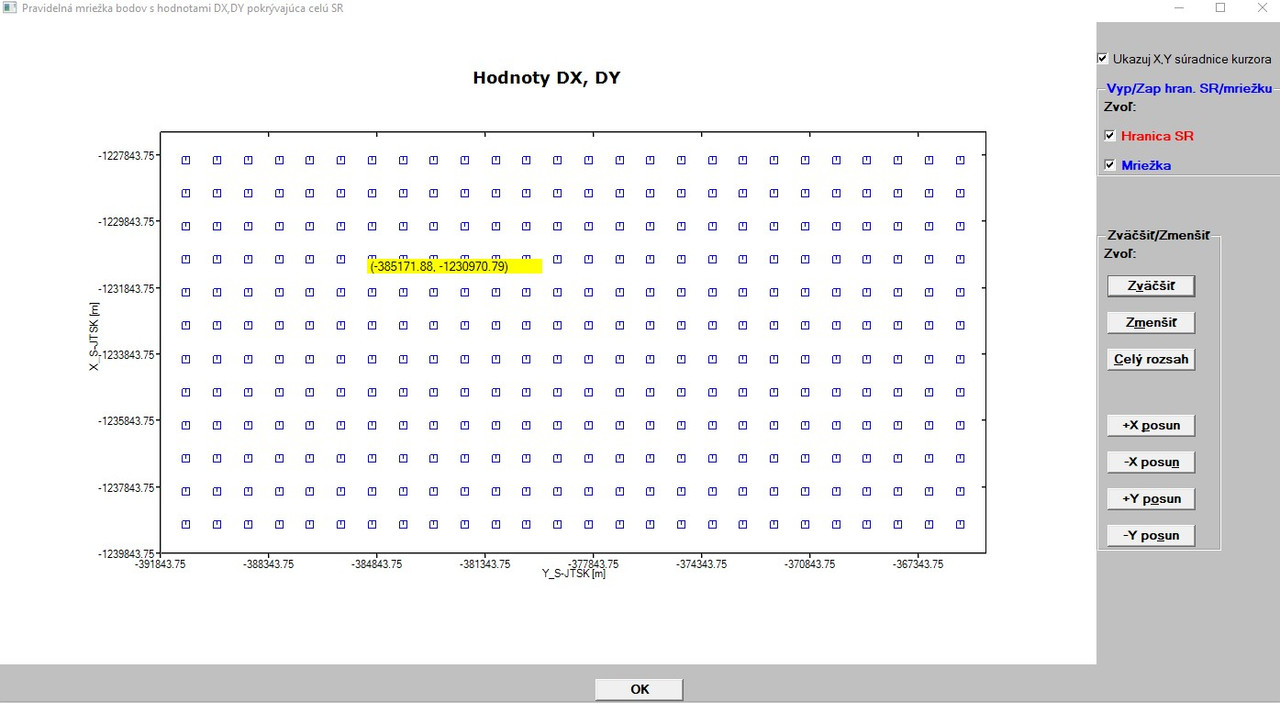
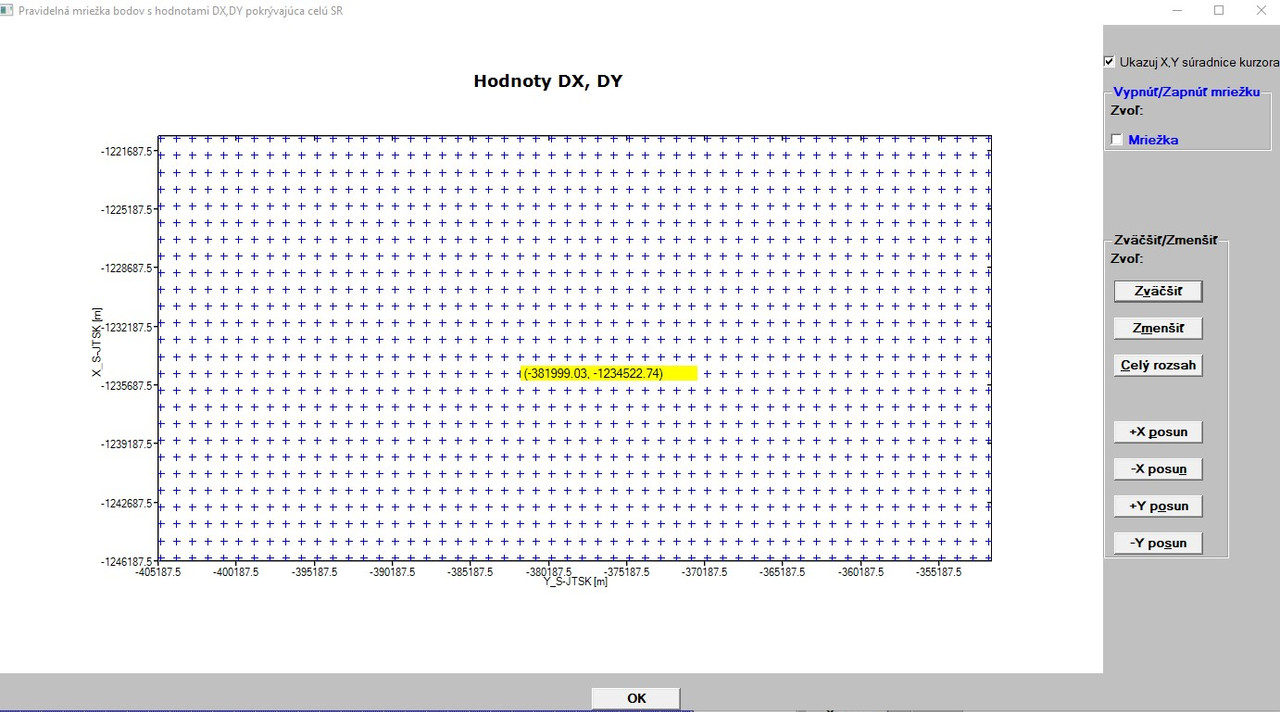
AFTER implementing your code showing the real geodetic X,Y values with the cursor I have a problem with the grid as follows (see picture below): The grid is automatically displayed (the box next to Mriežka(Grid) is checked by default). When I uncheck this box (see the picture below, top right), grid will dismiss for a while (10-12 sec.) and then automatically re-appears without my action (and so on around). I tried many changes with no success. I think that it is connected with CREATE_GRAPHICS_REGION@ function. Before implementing the displaying of geodetical coordinates with cursor (when NO CREATE_GRAPHICS_REGION@ was present in the code) it worked (box checked - grid displayed, box unchecked - grid disappeared).

[img] https://i.postimg.cc/tRsBX8DC/Uncheck-problem.jpg [/img]

Moreover, after repeating the action 3 times or more, grid is displayed distorted (see picture below, there are lines displayed and should be only plus signs). I suspect that the %PL code has some problem. [ https://i.postimg.cc/SNwJ31NP/Uncheck-problem-2.jpg ](https://postimg.cc/ppJWnZjQ)

Could you give me a tip what should I check in the code?

25 May 2020 8:24 #25511

Martin,

A few ideas to try:

Examine the integer value returned by COPY_GRAPHICS_REGION@. It should return 1 for success.

Check that the dimensions of the %pl and the internal file you are copying to are the same, X,Y starting at 1 not zero, and the DX, DY values are the same.

Check that you are copying in the right direction to/from the graphics regions.

Try using GRAPHICS_TO_CLIPBOARD@, to check that the internal graphics file is as expected. Immediately after this call you should be able to paste the image into MS Word.

Given that the SIMPLEPLOT_REDRAW@ takes a long time to process the data, there’s always the possibility that the user clicks on another button during this time. It may be worth your while adding a control variable to each of the buttons and radio buttons, so that as soon as one is selected, at the beginning of the corresponding call back all controls are disabled, and only enabled once the current process is completed. The presence of such additional control variables can also help with guiding the sequence of statements in the %pl call back.

The flow of the control statements in the now very complex %pl call back needs to be carefully examined, since all the interactive user actions rely on this part of the code.

Do you have a reduced data set that you can use for testing purposes?

Bebugging code is always time consuming. I changed the order of some statements in some code yesterday and then later observed that one calculated variable was always displayed incorrectly, even although the value returned by print* was correct. Why using %~rf to display the value and a %fl was now being applied because of the change in position. 2 hours to track down the problem.

25 May 2020 8:48 #25512

Thanks Ken for your tips.

yesterday I also tried (among other things) just uncheck the box and did absolutely no cursor movement (the cursor was without any movement after unchecking the box, it had no influence on the behaviour of display). Now, I will realize your tips and will inform about the results.

29 May 2020 1:12 #25530

Ken,

after a while I would like to inform you that I was able to find and remove the previous mentioned problems (namely that the graphics was always displayed regardless whether there were boxes checked or unchecked). The problem was that the variable HANDLE_PL - at least, it seems to me so - cannot be setup to a non-zero values (like in your code above) in conjunction with the function COPY_GRAPHICS_REGION@. If so, I could do anything, the graphics was always displayed regardless the fact that the check box for one graph or both was unchecked.

However. now, I am facing another (minor) problem with %PL. ALL graphs are - by default - checked and are also correctly displayed when the function invoking them is invoked for the first time. But, as soon as I uncheck the box(es) and then check it (them) again, the graphic symbol for points (which is + sign, since SYMBOL=12) is (from an inexplicable reason for me) changed (replaced) by a small box as can be seen below:

[url=https://postimg.cc/Z9Bmjj2J]https://i.postimg.cc/mrVrL5S1/stvorceky.jpg

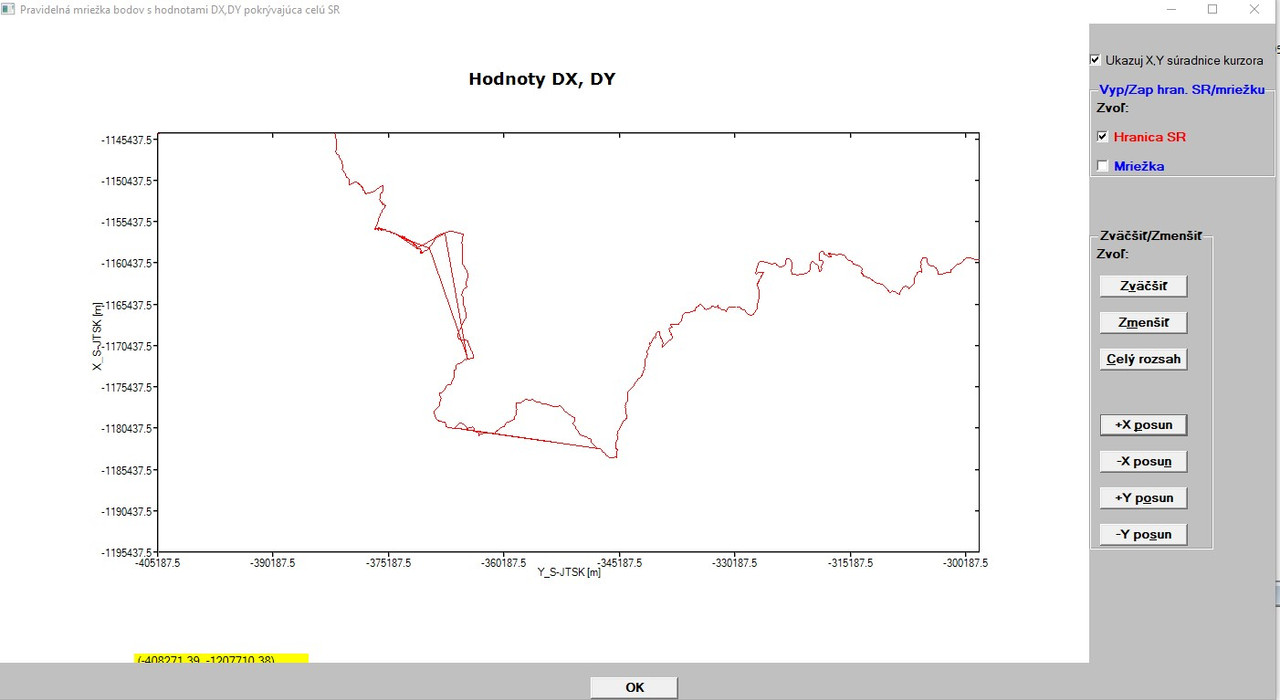
If you would have a tip, where could be this problem hidden, I would take a look for it for a while. But this is not so important, so I will let it as is, should I spend long hours to find it. Additionally, it seems to me (as a ClearWin+ beginner) that the %PL command has some internal problem when drawing lines. When I use the option [link=lines] for the points which constitute the state border of the SR, in some areas it connects the points not in turn, but as crossed lines (zick-zack) as can be seen below:

[url=https://postimg.cc/jwZ8GYGN]https://i.postimg.cc/7hypJx9B/cik-cak-spojene-body.jpg

The points were created by ArcGIS (ArcMap) software, so I checked them with the software again and there is everything OK, all points are smoothly and correctly joined. I double checked with and independent software (Trimble Bussines Center, which I use for my GNSS activities) and there is also everything fine with the points (no crossed lines). But, I will not lose time with it, since I can use the option [link=none] and then there are no lines (the border is drawn only as points).

Generally speaking, the work with the %PL command has became for me quite hard partly due to unclear help for its options (such as full_mouse_input), partly due to its current limitations. To put it into another words: the %PL command needs to be significantly improved and there must be added clearly greater flexibility and easy of use, otherwise the way in this direction is very hard and sometimes practically unusable.

Now to my last question: I wanted to start the implementation of your code regarding the showing ellipses with DX,DY values right now, but I stopped at its very beginning. Reason? You have a parameter called N and N=11 (in both variants, I wanted to implement the second one). Later in the declaration you have (among others):

dx(1:NN), dy(1:NN) ... xy(1:NN,1:NN) ...

However, my N=87312 (grid points only)! So, N*N is a huge number and I think (when I correctly interpret your declarations), it will be not feasible with my value of parameter N (there will be huge numbers). Or something do I not understand correctly?

Thanks!

Martin

29 May 2020 2:49 #25532

Good to see you are making progress.

The combination of checkboxes and two graphics regions was not one I have used or tested before.

Yes there is a problem with symbol = 12 and symbol = 13 when used with change_plot_int@. I questioned Paul about this a few days ago. Solution until a new dll is available is not to use symbol = 12 or 13.

The solution to the big array issue is to organise the input data in a direct access file and use the record number as the index to the data. It will take a while to write the file (but you only need to do this once), and access by record number on a direct file is faster than a user can move a mouse.

locate_i_j_in_table = (i - 1 )*n + j replaces the large matrix.

Example below to demonstrate the idea based on one of my earlier posts.

29 May 2020 2:50 #25533

PART 1

module example 
use clrwin 
implicit none 
integer, parameter :: sp=kind(1.0), dp=kind(1.d0), gw = 1000, gh = 800, N=50
integer :: handle_internal_gr = 1, handle_pl = 2
real(kind=dp) :: dx, dy 
real(kind=dp) :: x_pl2(1:2), y_pl2(1:2)
real(kind=dp),allocatable :: x_array(:), y_array(:)
integer       :: rb_show_nearest_grid = 1, rb_show_adjacent_grid = 1, rb_show_grid_data = 1
contains 

integer function generate_data() 
integer i,j,k 
  allocate(x_array(1:N))
  allocate(y_array(1:N))
  x_array(1) = -5.d0 ; y_array(1) = -5.d0 
  do i = 2, N 
    x_array(i) = x_array(i-1) + 1.d0 ; y_array(i) = y_array(i-1) + 1.d0 
  end do
  ! open a direct access file, recl=16, so that each record can store two real* values
  open(unit=10, file='integer.bn', status='UNKNOWN', access='DIRECT', recl=16, FORM='UNFORMATTED', ERR=90 )
  i = 1 
  do while (i .le. N*N) 
    do j = 1, N, 1 
      do k = 1, N, 1     
        dx = random@() ; dy = random@()
        write(10,REC=i,ERR=92) dx, dy 
        i = i + 1  
      end do 
    end do 
  end do 

  goto 100

90   STOP 'ERROR opening direct access file'
91   STOP 'ERROR closing direct access file'
92   STOP 'ERROR writing to direct access file'
93   stop 'ERROR reading from direct access file'

100 continue  
  x_pl2(1) = minval(x_array) ; x_pl2(2) = maxval(x_array)
  y_pl2(1) = minval(y_array) ; y_pl2(2) = maxval(y_array)
  generate_data = 2 
end function generate_data 


integer function locate_i_j_in_table(i,j,n)
integer, intent(in) :: i    ! Row
integer, intent(in) :: j    ! Column
integer, intent(in) :: n    ! Size of n x n matrix
  locate_i_j_in_table = (i - 1 )*n  + j
end function locate_i_j_in_table
29 May 2020 2:53 #25534

Part 2

integer function pl_cb() 
character(len=30) cb_reason 
integer i,j,k, x1p, y1p, jj, kk
real(kind=dp) x1r,y1r, x1rr, y1rr, dx, dy
character(len=30) output_string(4)
character(len=20), parameter :: fmt(1:2)=(/'(SP,F7.3,1A,F7.3)   ','(SP,2X,A2,1X,F7.3)  '/)
integer, parameter :: ngrid = 1
  cb_reason = clearwin_string@('callback_reason') 
  if (cb_reason .eq. 'PLOT_ADJUST') i = COPY_GRAPHICS_REGION@(handle_internal_gr, 1, 1, gw, gh, handle_pl, 1, 1, gw, gh, 13369376 ) 
  if (cb_reason .eq. 'MOUSE_MOVE' ) then
    i = COPY_GRAPHICS_REGION@(handle_pl, 1, 1, gw, gh, handle_internal_gr,  1, 1, gw, gh, 13369376 )
    if ( rb_show_nearest_grid .eq. 1 .or. rb_show_adjacent_grid .eq. 1 .or. rb_show_grid_data .eq. 1) then
      x1p = CLEARWIN_INFO@('GRAPHICS_MOUSE_X') ; y1p = CLEARWIN_INFO@('GRAPHICS_MOUSE_Y') 
      i = GET_PLOT_DATA@(x1p,y1p,x1r,y1r) 
      write(output_string(1),fmt(1)) x1r,',',y1r  
      j = minloc(abs(x_array - x1r), 1)  ; k = minloc(abs(y_array - y1r), 1) 
      write(output_string(2),fmt(1)) x_array(j),',',y_array(k)
      i = GET_PLOT_POINT@(x_array(j),y_array(k),x1r,y1r)  !returns real*8 not integer 
      x1p = nint(x1r) ; y1p = nint(y1r) 
      if (rb_show_nearest_grid .eq. 1) call draw_grid_point(x1p,y1p,16,rgb@(255,0,0),1)
      if (rb_show_adjacent_grid .eq. 1) then
        do jj = j - ngrid, j + ngrid, 1
          do kk = k - ngrid, k + ngrid, 1
            if (jj .lt. 1)                      then ; cycle
            else if (kk .lt. 1)                 then ; cycle
            else if (kk .gt. size(x_array))     then ; cycle
            else if (jj .gt. size(y_array))     then ; cycle
            else if (jj .eq. j .and. kk .eq. k) then ; cycle
           else
              i = GET_PLOT_POINT@(x_array(jj),y_array(kk),x1rr,y1rr)
              call draw_grid_point(nint(x1rr),nint(y1rr),8,rgb@(0,0,200),0)
           end if
         end do
        end do 
      end if
      i = locate_i_j_in_table(j,k,n)
      read(10,REC=i,err=93) dx, dy
      goto 100
 93   stop 'ERROR reading from direct access file'
 100  continue     
      write(output_string(3),fmt(2)) 'dx',dx
      write(output_string(4),fmt(2)) 'dy',dy
      if (rb_show_grid_data .eq. 1) then 
        call draw_filled_rectangle@(x1p+10, y1p+10, x1p+150+10, y1p+20+60, rgb@(255,255,0))
        call draw_rectangle@(x1p+10, y1p+10, x1p+150+10, y1p+20+60, rgb@(125,125,125))       
        call draw_characters@(output_string(1), x1p+10, y1p+15, rgb@(0,0,0))
        call draw_characters@(output_string(2), x1p+10, y1p+30, rgb@(255,0,0))
        call draw_characters@(output_string(3), x1p+10, y1p+45, rgb@(0,0,255))
        call draw_characters@(output_string(4), x1p+10, y1p+60, rgb@(0,0,255))
      end if
    end if 
  end if 
  pl_cb = 2 
end function pl_cb
29 May 2020 2:55 #25535

Part 3

integer function plot() 
integer, save :: iw 
  iw = CREATE_GRAPHICS_REGION@(handle_internal_gr,gw,gh ) 
  if ( iw .ne. 1) STOP 'Failed to create internal graphics region' 
  iw = winio@('%mn[Close]&','Exit') 
  iw = winio@('%`bg[white]&') 
  call winop@('%pl[independent,x_array,link=none,symbol=12,symbol_size=1,colour=white,gridlines,frame]') 
  iw = winio@('%`^pl[full_mouse_input]&',gw,gh,2,x_pl2,y_pl2, handle_pl, pl_cb)
  iw = winio@('%ob&')
  iw = winio@('%2nl%`rb[Nearest grid]&',rb_show_nearest_grid)
  iw = winio@('%2nl%`rb[Adjacent grid]&',rb_show_adjacent_grid)
  iw = winio@('%2nl%`rb[Grid data]&',rb_show_grid_data)
  iw = winio@('%cb&') 
  iw = winio@(' ') 
  iw = DELETE_GRAPHICS_REGION@(handle_internal_gr) 
  plot = 2 
end function plot 


subroutine draw_grid_point(x,y,size,colour,flag)
integer, intent(in):: x,y,size,colour,flag
integer k
call set_line_width@(2)
call draw_line_between@(x-size,y,x+size,y,colour) ; call draw_line_between@(x,y-size,x,y+size,colour)
if (flag .eq. 1) then ; k = nint(dble(size)/2.d0) ; call draw_ellipse@(x,y,k,k,colour) ; end if
end subroutine draw_grid_point 

end module example 

program main 
use example 
implicit none 
integer i 
i = generate_data() ; i = plot() 
end program main
30 May 2020 12:24 #25537

Another thought.

Have you tried exporting the x y arrays that define the border in the call to %pl to a text file (immediately before the %pl call), and then importing that text file into Excel and plotting the data in an X-Y plot? This would confirm if %pl is correctly plotting the data that is input into it (or not). If the Excel plot is the same as the %pl plot – with crossed lines then there is an error in your code associated with reading the input data and forming the arrays that are passed to %pl.

30 May 2020 6:04 #25538

Thanks for your tip Ken! I will inspect it as soon as I will have more time, since currently we test a complex measuring system which we mounted on a measuring boat used for mapping of river´s bed (on Danube river) containing different sensors, sonars and GNSS equipment. I have very limited time which I can dedicate to programming.

31 May 2020 1:32 #25542

Ken,

thanks for your inspiration! I spent three nice hours in last night for checking where could be the problem regarding the joining of points with lines in my code using %PL command.

I coded it once again using a graphic Trimble Business Center utility and also Excel and definitely can say the following: neither my code nor the command %PL have the problem with respect to joining the points with lines (they do not cause the cross-line joining due to their potential internal problem)!

Definitely, the problem can be attributed to either ArcMap software of ESRI (which in some areas incorrectly split polylines to points. I will check it) OR the source of data (cadastre) has some inconsistency (incorrect order of points with respect to their coordinates). I will try to find out how to fix it. In the meantime (as time allows me) I will also strive to implement your last modification (with the direct access to a file containing a large number of arrays and their indexing) to be able to show the DX,DY values in the graphics when pointing cursor over a grid point!

Thanks again!

Martin

31 May 2020 5:01 #25543

Marting,

The really important thing about using binary direct access is getting the record length correct. This demonstrates the idea.

Ken

implicit none
integer, parameter :: sp = kind(1.0), dp = kind(1.d0)
integer i, j, k
real(kind=sp) asp, bsp
real(kind=dp) adp, bdp
integer, parameter :: n = 10


! Writing two integers, two reals, two double precision reals in one record
! Two integers = 4 * 2 = 8 bytes
! Two sp reals = 4 * 2 = 8 bytes
! Two dp reals = 8 * 2 = 16 bytes
! Total                = 32 bytes
open(unit=10, file='integer.bn', status='UNKNOWN', access='DIRECT', recl=32, action='write', FORM='UNFORMATTED', ERR=90 )
print*
print*
print*, 'Writing to file'
  do i = 1, n
  write(10,REC=i,ERR=92) i,i+1, real(i),real(i+1), dble(i), dble(i+1)
  print*, i,i+1, real(i),real(i+1), dble(i), dble(i+1)
end do
close(unit=10, status='keep',ERR=91)
open(unit=11, file='integer.bn', status='unknown', access='DIRECT', recl=32, form='unformatted', err=90)
print*
print*, 'Reading from file'
do i = 1, n
  read(11,REC=i,err=93) j,k,asp,bsp,adp,bdp
  print*, j,k, asp, bsp, adp, bdp
end do
close(unit=11,status='keep',err=91)

open(unit=11, file='integer.bn', status='unknown', access='DIRECT', recl=32, form='unformatted', err=90)
print*
print*, 'Reading from file - random'
do i = 1, n
  ii = int(dble(n)*random@())
  if (ii .eq. 0) ii = 1           ! ii is random record to be accessed
  read(11,REC=ii,err=93) j,k,asp,bsp,adp,bdp
  print*,'Record', ii
  print*, j,k, asp, bsp, adp, bdp
  print*
end do
close(unit=11,status='keep',err=91)

goto 100
90   STOP 'ERROR opening direct access file'
91   STOP 'ERROR closing direct access file'
92   STOP 'ERROR writing to direct access file'
93   stop 'ERROR reading from direct access file'
100  continue
end program
1 Jun 2020 12:55 #25544

Ken,

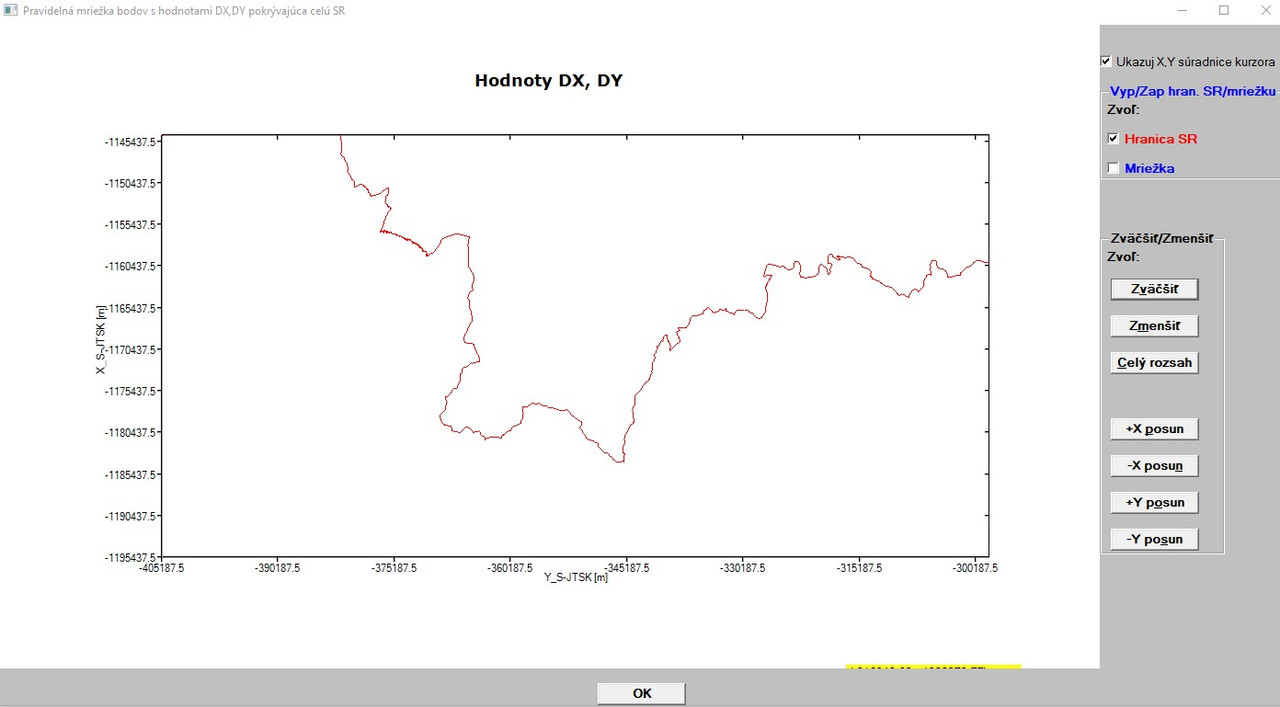
I identified the problem with the joining of lines! The problem was/is in the ArcMap export, which for unknown reasons incorrectly sorts the vertices (vertex points) created after splitting polylines into discrete set of points. Interestingly, it can be observed in a few areas only (still stranger behaviour). Anyway, I manually corrected the export of border points and now, in my code using the %PL command everything looks OK (see the problematic part of the graphics below, now it is OK, no cross-lines are present). [ https://i.postimg.cc/tRD0fyPL/spojene-ciary-OK.jpg ](https://postimg.cc/nMswjy3k)

Thanks again for your inspiration!

Finally, I can move to the implementing of your new code!

Please login to reply.