Paul,
Which .mod and .inc files go alongside the new DLLs?
I'm a bit reticent to make any further changes now.
Currently, I have the new .mod and .inc files on my machine, i.e. those from the link from your post above on Fri Jun 19, 2020 8:43 am
Ken
Welcome to our forums
Paul,
Which .mod and .inc files go alongside the new DLLs?
I'm a bit reticent to make any further changes now.
Currently, I have the new .mod and .inc files on my machine, i.e. those from the link from your post above on Fri Jun 19, 2020 8:43 am
Ken
There is probably something missing with the new DLLs v48 (.mod file?), I have a problem when creating executable (TARGET DOES NOT EXIST) with FTN v8.63 and DLLs v48, so I had to copy back the v47 DLLs. I copied the FTN v8.63 along with DLLs v48, it does not work.
As soon as I copied back the DLLs either v47 or v46, it works also with FTN v8.63.
Martin
You should use the latest mod and ins files from the last link on this thread. You won't find them in the other download.
Thanks Paul!
I used the latest .mod and .ins files with the v48 DLLs and after you modified the DLLs, now, NEARLY everything works for me problem free (with classical direct calls to SIMPLEPLOT_REDRAW@!). So, there is no need to re-code some parts of my program (very joyful info for me)!
Again - many thanks, Paul!
Just still one small issue/question to SYMBOL=12:
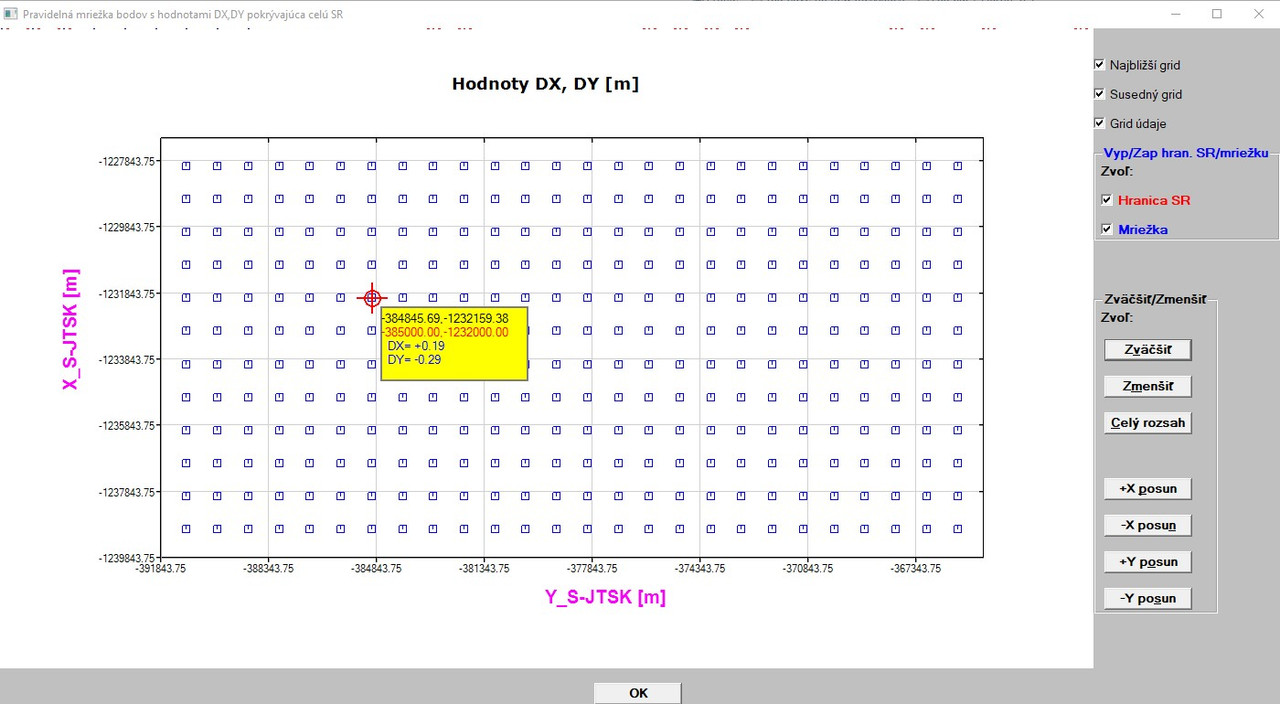
After several clicks on zoom in or zoom out and then a click on zoom to extents, SOMETIMES (not always and I did NOT observed some systematic behaviour, only random behaviour) I get instead of PLUS (+) signs, a rectangular symbol (see picture below):
Do you have any idea, why it occurs?
Martin
Martin,
Do you have any calls to CHANGE_PLOT_INT@ in your code where the second argument is ‘symbol’ ?
Ken
Ken,
YES - see the code below (call back) for switching on/off graphics:
INTEGER FUNCTION akt_cb_graf() ! updates/redraws graphics based on
! the user´s selected options
USE CLRWIN
IMPLICIT NONE
INTEGER*4 akt_cb_graf
if (skok_modul.eq.0) then ! draws and switches on/off both SK border and grid
if (control(1).eq.1) then ! switch on/off the SK border
k = CHANGE_PLOT_INT@(handle_pl_hr,'link',1,1)
call simpleplot_redraw@()
else
k = CHANGE_PLOT_INT@(handle_pl_hr,'link',1,0)
call simpleplot_redraw@()
end if
if (control(2).eq.1) then ! switch on/off the grid
k = CHANGE_PLOT_INT@(handle_pl,'symbol',0,1)
call simpleplot_redraw@()
else
k = CHANGE_PLOT_INT@(handle_pl,'symbol',0,0)
call simpleplot_redraw@()
end if
else ! draws grid ONLY (without SK border)
if (control(2).eq.1) then ! switch on/off the grid
k = CHANGE_PLOT_INT@(handle_pl,'symbol',0,1)
call simpleplot_redraw@()
else
k = CHANGE_PLOT_INT@(handle_pl,'symbol',0,0)
call simpleplot_redraw@()
end if
end if
akt_cb_graf = 1
END FUNCTION akt_cb_graf
Martin
The following will set graph 0 to symbol 0 i.e. no symbol:
k = CHANGE_PLOT_INT@(handle_pl,'symbol',0,0)
while the following will set graph 0 to symbol 1, which is the box symbol that is being drawn occasionally.
k = CHANGE_PLOT_INT@(handle_pl,'symbol',0,1)
Perhaps this should be:
k = CHANGE_PLOT_INT@(handle_pl,'symbol',0,12)
BUT there is also be another potential problem, as you appear to have numbered the graphs from 0 to 1. Perhaps this should be 1 and 2 ?
The %pl help page says:
INTEGER FUNCTION CHANGE_PLOT_INT@(id, option, index, dval) INTEGER FUNCTION CHANGE_PLOT_DBL@(id, option, index, fval)
index corresponds to the number of the graph (starting at 1).
Ken
[color=red:5e06da5dd4]PS you have six calls to simpleplot_redraw@, so this will be called multiple times depending on the results of the IF/ELSE/THEN construction. A single call to simpleplot_redraw@, before the return value of the function is set is sufficient.[/color:5e06da5dd4]
John,
clearwin.ins, clrwin.mod and clrwin.mod64 from: https://www.dropbox.com/s/55cu3lbhvwv1m14/SimplePlot.zip?dl=0
Plus DLLs from: https://www.dropbox.com/s/yawnje1g688kydb/newDLLs48.zip?dl=0
Ken
Thanks Ken!
I reduced the calls to SIMPLE_PLOT@ function as you mentioned.
Some time ago I had the numbers 1,2 for the graphs and at that time I tried something to fix and forgot to change it back.
So, I changed it to 1 and 2 now, ** but the symptom remains. **
You write that it could perhaps be:
k = CHANGE_PLOT_INT@(handle_pl,'symbol',0,12)
I am confused either with the code above or with the help for the function CHANGE_PLOT_INT@.
The 4th argument in the function CHANGE_PLOT_INT@ is (according to help):
dval, fval and sval represent the value to be changed
So, I thought when the checkbox is checked, the 4th argument has the value 1 and it is the argument which is to be changed to 0 (checkbox unchecked, graphics removed and vice versa).
How can I use as the 4th argument the number 12 (this should be known by the use of SYMBOL parameter - argument No. 2 - in the function CHANGE_PLOT_INT@)?
Or am I again totally wrong?
Martin
P.S. BTW - I used the number 0 as 3rd argument, since help says:
index corresponds to the number of the graph (starting at 1). Set this to zero when the dval/fval/sval applies to all graphs.
Therefore ,some time ago, I tried with the number 0 for the 3rd argument.
Martin,
k = CHANGE_PLOT_INT@(handle_pl,'symbol',1,12)
means change %pl with ‘handle_pl’, graph ‘1’, ‘symbol’ to symbol type ‘12’.
This is independent of the value of the control. You use the value of the control, within the IF/ELSE/THEN construct to select the appropriate call to change_plot_int@ for example for control(2) if it is your grid and thats graph 2
If (control(2) .eq. 1) then !GRID ON
k = CHANGE_PLOT_INT@(handle_pl,'symbol',2,12)
else ! GRID OFF
k = CHANGE_PLOT_INT@(handle_pl,'symbol',2,0)
end if
Don’t set the 3rd argument to 0, since this applies to all graphs, consequently a change to graph 1 or 2 made earlier in the function will be reset! This is not something I would normally do and that is why I read your code above as “set graph 0” rather than “set all graphs”. In anycase it did strike me a looking odd and there is an issue there.
The logic in the IF/ELSE/THEN construction appears to be over complex.
You may have to revisit all calls to CHANGE_PLOT_INT@, CHANGE_PLOT_DBL@, and CHANGE_PLOT_CHR@
Thanks Ken (and John) for your clear explanation!
Now, I am afraid, I have no talent to read the manuals and understand the manuals correctly.
So, I amended my code as you explained, Ken!
Nevertheless, it seems to me that there is still a problem with symbol 12 (and also with symbol 13). Although, after correction of my code, zooming in/out/to extents functions always correctly (there is no change in the graphical symbol) and I see always symbol 12 or 13 after zooming. This time the problem is moved to switching on/off the graphs. As soon as I switch off the grid and then I want to switch it on back, it never displays. I have to close the graphs first and then re-open them to see the grid.
So, I tried another graphical symbol (symbol 2, triangle) to test it. With this symbol (SYMBOL=2) EVERYTHING (any graphical function) works perfectly!
The only problem with SYMBOL=2 is that it is not quite suitable for me when all points (87312 grid points+47041 border points) are displayed in their initial scale at once. I see only a blue filled rectangular area. Only when I start to zoom in, I can clearly see particular points (as triangles) with all related data.
Since there is no dot (.) symbol for choosing as a point graphical symbol, for my purposes the plus sign (+) seems to be the best option (even symbol=13 is less suitable than 12).
Thanks again for your valuable advises!
Martin
Martin,
I think we need to see a small example that demonstrates the issue you have having.
The sample code below which includes zoom in/out, pan left/right/up/down and graph on/off (using symbol =12) does not exhibit the behaviour you are describing.
The problem appears to be with your coding, rather than an issue with how the library treats “symbol 12”.
Ken
Thanks Ken for your valuable help, thanks John for your useful remarks!
I know, I can have a small bug/error in my code which I am already unable to see. I will review it once again (today in the evening), although it already dreams me about the graphics and the code connected with the graphs.
But for general information I have to add the following:
Today, I tested ALL existing graphic symbols for points (symbols 1...13) with my current code I have and tried ALL graphic functions with each symbol (1-13):
RESULT: symbols 1-11 have ABSOLUTELY NO problem and any above mentioned function performs excellent (don´t taking into account the suitability of graphics symbols, I used them at their default size, but as John wrote, I can play with their size using set symbol_size function).
Symbols 12 and 13 performs problem free with all functions mentioned above EXCEPT the function switch off grid graph (switching on/off the border line is OK also with these symbols). Simply, as soon as I switch of the grid (I see then only border line) and then I again switch on the grid back, the grid never displays and I have to close the graphs and re-open them again.
So, a magic must be there or so.
Martin
Martin,
I now understand the complexity of your function to set the symbols. You have four controls to control grid on/off and border on/off. You actually only need two. One for the grid ON/OFF and one for border ON/OFF.
Your analysis appears to indicate that there is indeed an issue with symbol 12 and 13. QUESTION Does the sample code I posted this morning via drop box work as expected when compiled on your machine? I wrote this last night to specifically try and replicate your problem.
Ken
Thanks Ken for your new code!
I tested it on my machine and have the following information for you:
Functions:
ALL work problem free!
As soon as I switch off the buttons (by unchecking their boxes):
and then I switch them on again (by checking their boxes)
NO GRAPHS ARE DISPLAYED at all!
So - similar behaviour like with my two graphs (the difference is that in my case by switching on again the graph with SK border line, this line is displayed, only grid points in the grid graph are not displayed again).
It means, either I have a specific problem with my machine (I do not believe it, although I cannot exclude it fully or there is really a problem with symbol 12 (and also 13).
I switched on/off your graphs in all combinations, no one was again displayed after its switching off.
Martin
Works for me on both Windows 8.1 and 10.
At a loss to know what else you could try.
Perhaps some of the other users would be good enough to try the sample code from my post Wed Jun 24, 2020 8:21 am and report back their experience?
Ken,
below are videos taken from my machine:
result: OK
result: not OK
result: OK
result: not OK
This (symbol 12) on my graphs even caused that with combination of the recording software when it was running, main window of my program appeared for a while over the graphics window (as you can notice when watching the video), which should not. This was not the case with the symbol 10 on my graphs.
NOTE: When pressing my ZOOM TO EXTENTS (Celý rozsah) button, it takes a few seconds to complete the task (since it deals with cloud of points (about 134 500 points)).
I will try both programs on different PC.
But at the moment, I will use SYMBOL=10 with SYMBOL_SIZE=2, since it runs smoothly!
Martin
system information:
I have Windows 10 Pro, Version 1909, with all updates applied.
So for the example code: Symbol 12 plus windows 10 plus latest DLLs and MOD files on my machine work.
But
Symbol 12 plus windows 10 don’t work on your machine. Are you 100% sure you have the latest/correct DLLs and MOD files on your machine?
Thanks for your tip Ken!
I found the problem!
I downloaded again the new DLLs + MOD, INS files from your post of June 22, 10:35pm and compared the files with the ones I used till now.
I found an older MOD file in the corresponding folder when comparing to the MOD file from your download.
Now it works also with symbol 12!
Martin