Silverfrost Forums

Welcome to our forums

Clearwin based message for warnings/infos

20 Sep 2023 8:20 #30578

I need to implement some Clearwin functionality which will tell me that the task is running and then it was ended. Like with ususal old fashioned programs we used text output a la 'Program Started' and 'Run Ended' 😃

For example some grayed during the run Clearwin Item (image, CW control like sliders or buttons with the text like 'Finished') at the end of the run becomes ungrayed. The simplest will be the implementation and more hip the better.

With the sliders showing the progress or greyable %rd/bt controls i kind of can do that myself but i'd prefer to have clearly written text + clearly visible solid color like small JPG/PNG/etc, say, red/yellow image with the text which will pop out of messy GUI.

Simplest would be to have grayed (or completely hidden) during the run some icon like this one :!: which becomes ungrayed at the end

20 Sep 2023 10:55 #30580

One way is to use a Fortran print statement in the old way.

The printing appears in a DOS box or in a separate window but this serves the purpose if it is just for your own information.

Otherwise can you provide a short sample program with comments at the points where you want the icons to appear?

20 Sep 2023 11:24 #30582

You could use %cw at the bottom of your main application window and print messages to that fortran unit. Or use %sb and update the displayed text via a call to SET_STATUS_TEXT@.

20 Sep 2023 5:06 #30586

Dan,

I have a set of 'status bar' routines that do this. One allows monitoring of start/end values and a % complete, while the other just shows the number of 'events' that have occurred while updating a bar repetitively.

While a bit unique to my situation, I'd be happy to remove my program specific things, ZIP them up and post a link.

They work by initializing (create a status window) with a title that is tied to a %dl timer routine that runs every second (programmable). For each event, you call the same named routine and it updates the local count. Once per delay tick, the window is updated using the latest count. At the end, you call the routine to end the display, and it closes the window.

The intermediate calls are not absolutely necessary if you just wish the window to be displayed, then closed at the end.

Alternatively, you can CALL SET_CURSOR_WAITING@(1) to start a spinning thingy, and CALL SET_CURSOR_WAITING@(0) st the end to release the cursor.

20 Sep 2023 9:05 (Edited: 20 Sep 2023 9:31) #30587

Thanks for suggestions. I tried almost all of them over the quarter of century of using Clearwin. And still use them too. Most of all I use popup window, but it sometimes is also inconvenient (it is simplest too. Thanks Eddie for idea and implementation). But one of them I always missed was just simple image (icon, bitmap) which you place in some visible or convenient place which just changes dynamically its color, and possibly changes also text in it. Say, 'Started' changes to 'Finished' or to 'Ended with problems' or 'Warning, See Text Window'. Things are I have 100 windows open, not counting 1000 tabs inside these windows. Solution must be simple and visible. And as primitive to implement as possible because it is always needed in each window you open where you run something. And no more window to open or eyes to change the current window. You pushed button 'Run' and nearby has to be red 'Ended' image which will appear at the end. The only fits this is %SL slider but it looks too primitive and needs a bit of efforts while just using some control opening image or icon controlled by graying varible with call to window_update@(igraying_var) would be the most convenient. I can create nearby button which will be grayed/ungrayed dynamically but buttons can not change color to flashing red

20 Sep 2023 9:22 #30588

Dan,

I think my solution is too simple for what it appears you are looking for. Thanks for the explanation!

Bill

21 Sep 2023 6:17 #30589
winapp
module mm
use clrwin 
integer(7) hwnd
integer state
contains
 integer function cb()
 state = 1 - state
 call SET_CONTROL_VISIBILITY@(hwnd, state)
 cb = 2
 end function
end module mm

program main
use mm
state = 1
iw = winio@('%ic[icon1]&')
iw = winio@('%lc&', hwnd)
iw = winio@('%ff%nl%cn&')
iw = winio@('%^bt[Show/Hide]',cb)
end program
resources
1 24 default.manifest
icon1 ICON main.ico
21 Sep 2023 9:13 #30590

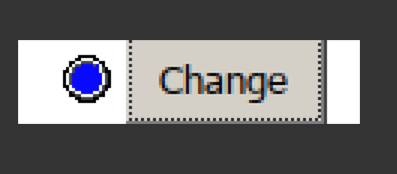
Thanks Paul. I quickly adopted this taking first icons i found and here it is how it looks in its simplest incarnation. https://i.postimg.cc/5NL43sGG/bull02.png When Load Data finishes it flashes red dot. Will see if this method will be simple enough to reuse many times
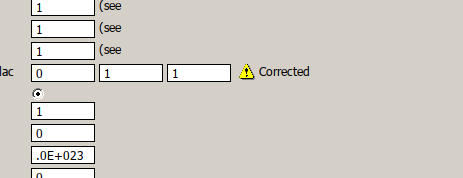
I like very much similar graphical warnings. They save your time immensely. Here is how looks one of them based on %bm where i took Clearwin own bullet %si! or %si# and reduced it to fit into the line https://i.postimg.cc/7YngRnJs/bull01.png

What would be great is to add to Clearwin this dynamic 'graying' functionality. Or better introduce similar look new control, say, %sj which will appear and disappear based just on few symbols of Fortran text reducing the entire Paul's example above into something like this:

i=winio@('%sj!', kGrayied)
21 Sep 2023 12:23 #30593

It might be possible to add a grave accent to %si which would then take an integer argument. The argument would specify the show state, either show or hide.

21 Sep 2023 5:13 #30595

You could always use %ld with traffic signal colours , and as you can use the option blinking to call attention to it.

Eddie

22 Sep 2023 9:55 #30596

Paul, Would be nice. The only what would be also great is to add reduced size %si! to fit into the standard spacing.

Thanks Eddie, Did not know about %ld, info about it is written only in some hidden documentation and is for use with C, but it works with Fortran too

22 Sep 2023 1:21 #30598

%siX provides a 16x16 hazard icon.

%ld is documented under 'Format code reference'.

If we are able to extend %si in order to provide for a show/hide control variable (ctrl say) then it will still be necessary to call window_update@(ctrl) or to refresh the screen in some other way.

22 Sep 2023 4:46 #30599

Dan,

Paul is right about the 'Format code reference' in the FTN95.CHM file, although I couldn't search successfully for %ld in that file. As for Dan's comment about the instructions being in C, that's the way that %ld is described in CWPLUS.ENH

Until I set out to answer you, Dan, I had no idea that you could select square or blinking!

Eddie

22 Sep 2023 5:46 #30600

%ld shows up when I search the HELP file when entering only the 'ld' part.

Using a % sign is useless for .CHM files.

22 Sep 2023 7:37 #30601

Well that's probably the mistake Dan made as well as I did.

Fortunately, I already knew where to look!

Eddie

23 Sep 2023 5:37 #30603

Plato will usually find the help for the format codes when you put the text cursor in the code and press F1.

23 Sep 2023 5:56 #30605

Paul,

First impressions: SET_CONTROL_VISIBILITY crash the code with 'invalid control handle' if you open some window twice (hence change the handle which has to be in global variables to be controlled from everywhere), close the second one and try to use first one again. Such mistakes of clicking twice happen all the time. Since Clearwin now taking the policy like with OpenGL to never crash without user consent, would be great either just ignore wrong handle or ask user to allow crash for debugging purposes

Yes, 16x16 icon is fine

The %ld bitmap needs a bit of a facelift. I remember now trying it long ago but refused to use. Also, can you take my nice red dot above for some controls ? Users for sure will like it. I have them different color and size, but you are free to grab it and edit at your taste. Or i can send them to you. https://i.postimg.cc/g0Pf7Z1q/LED.png

23 Sep 2023 8:42 #30606

Dan

If you post some code illustrating the failure then someone will be able to identify where the error occurs.

Likewise I would be able to see if ClearWin+ could respond in a better way.

23 Sep 2023 11:22 #30607

If we just comment two lines in your example which will simulate the case of creating window which lost the handle due to user manipulations (often by mistake) and then calling set_control_visibility we get the crash. Usually crashing for such small reason the whole GUI is always kind of pity. This is why OpenGL just ignores errors. Your last approach with Clearwin is smarter, though may be more cumbersome for you, developers - to allow user to chose

winapp
module mm
use clrwin
integer(7) hwnd
integer state
contains
 integer function cb()
 state = 1 - state
 call SET_CONTROL_VISIBILITY@(hwnd, state)
 cb = 2
 end function
end module mm

program main
use mm
state = 1
!iw = winio@('%ic[icon1]&')
!iw = winio@('%lc&', hwnd)
iw = winio@('%ff%nl%cn&')
iw = winio@('%^bt[Show/Hide]',cb)
end program
resources
1 24 default.manifest
icon1 ICON bull01.ico 
23 Sep 2023 12:09 #30609

I have fixed that particular error report so that you will get a message with the option to continue.

Please login to reply.