Silverfrost Forums

Welcome to our forums

ALLOCATABLE and ALLOCATE in a MODULE - some problem (x64)

15 Feb 2021 3:46 #27098

Hello,

I would need an advise. I have a main program which uses my module. From the main program, from its INTEGER, EXTERNAL function are called a subroutine and a plot function (both located in the MODULE).

The subroutine in the module reads (after its invoking from the main program by pressing a plotting button) two files to determine the number of lines in each file (it means, the numbers of the lines of both files are not known in advance) and then reads all necessary data in each of their lines for plotting.

I used the ALLOCATABLE statement in the module header and then , after reading in lines of both files (each separately, so there are two different number of lines) I placed the command

ALLOCATE (variables ) ! coming from a file

I did NOT use the DEALLOCATE command at the end of the subroutine and the plotting function which is invoked from the externaL function of the main program immediately after the invoked subroutine completes its task plots the data correctly. BUT ONLY for the first time! (see picture below):
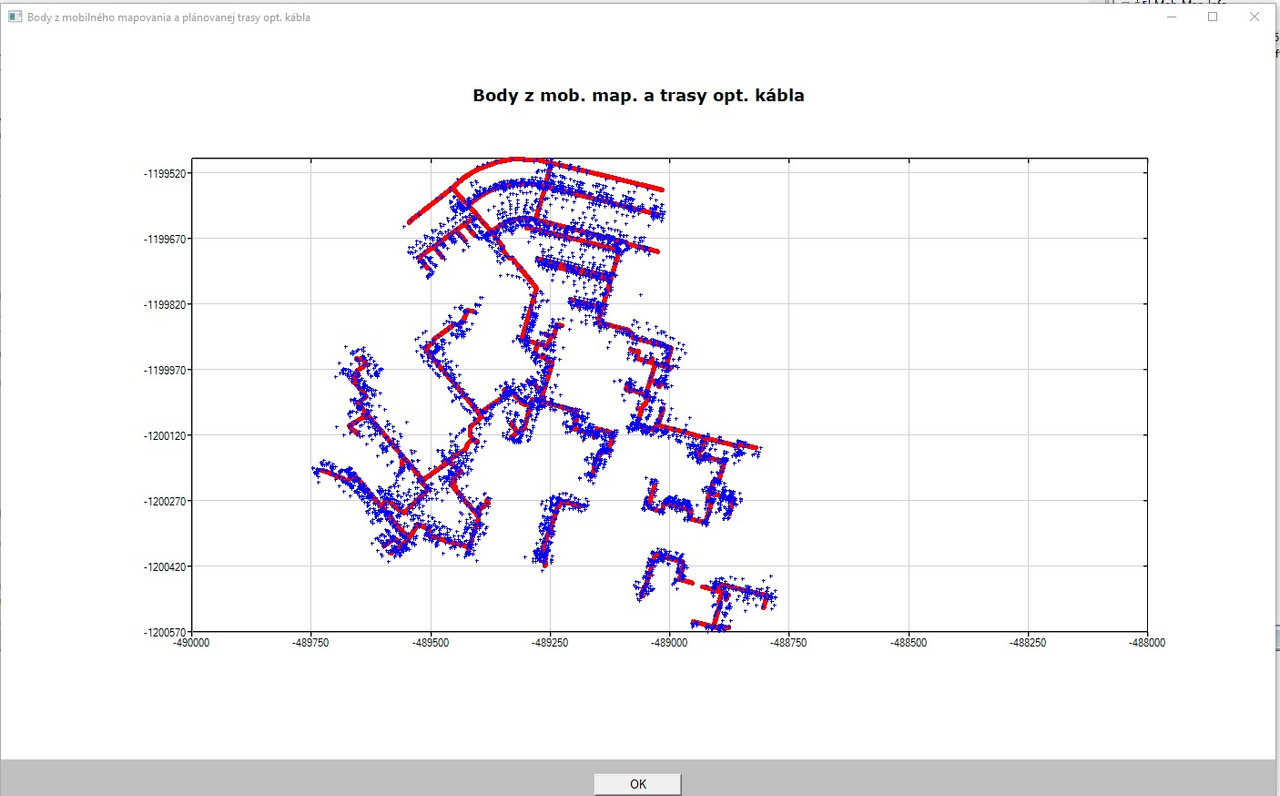
https://i.postimg.cc/8c0Ps2P1/plot-OK-1krat.jpg

When I leave the plot and I press immediately again the graph button from the main program (which should do the same tasks as described above), I always get the following run-time error:
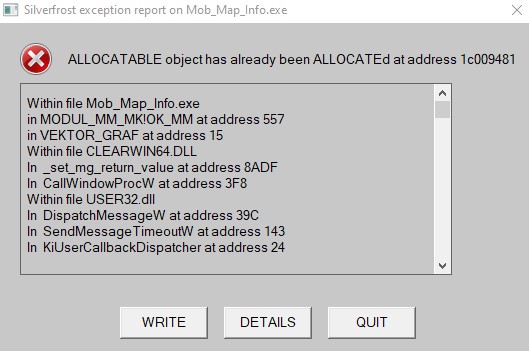
https://i.postimg.cc/bv75Y3jK/allocatable-error.jpgsawmill nc map

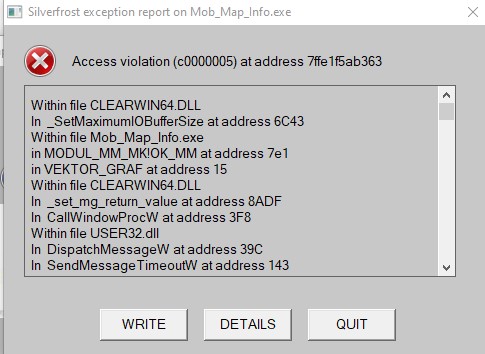
So, I tried to use the DEALLOCATE command at the end of the subroutine, but in such case - even after FIRST pressing of the graphic button in the main program I get either the following run-time error (so, no graphs is plotted):

https://i.postimg.cc/CLRbJY8s/DEALLOCATE.jpg

or - sometimes (very randomly and seldom) - something like stack overflow (currently I am unable to catch this run-time error).

NOTE: Currently, there are about 9000 points in one graph and about 7000 points in the second one.

What is wrong in the code with ALLOCATABLE/DEALLOCATABLE?

Thanks!

Martin
15 Feb 2021 4:42 #27099

Martin

It is difficult to tell without seeing the code but I wonder why you need to ALLOCATE memory for the variable multiple times.

Memory could be allocated once in the main program or you could set a flag to mark that memory has been allocated or you could write IF(.not.ALLOCATED(variable)) ALLOCATE(variable).

Another possibility is to make sure the plotting is completed before exiting the function. The information about a new format code %wt may be relevant in this context.

15 Feb 2021 9:27 #27101

Paul,

I used the conditions IF (.not.ALLOCATED(variable)) ... in the subroutine after each of two DO cycles as follows: (corresponding ALLOCATABLE statement is in the header of the MODULE). When the subroutine finishes, immediately is called plotting function from the main program.

! FIRST DO cycle to determine the number of lines in the 1st file
! number of lines is variable K
....
....

! The conditions for allocatable variables in the 1st file AFTER previous DO loop:

		IF (.not.ALLOCATED(RIADOK_OK)) then

		   ALLOCATE(RIADOK_OK(k))

        ELSE IF (.not. ALLOCATED(Point_ID_OK)) then

           ALLOCATE (Point_ID_OK(k))

        ELSE IF (.not. ALLOCATED(X_OK)) then

           ALLOCATE (X_OK(k))

        ELSE IF (.not. ALLOCATED(Y_OK)) then
          
		   ALLOCATE (Y_OK(k))

	    END IF

! SECOND DO cycle to determine the number of lines in the 2nd file
! number of lines is variable L
....
....

! The conditions for allocatable variables in the 2nd file after previous DO loop:

IF (.not.ALLOCATED(RIADOK_MM)) then

		   ALLOCATE(RIADOK_MM(l))

        ELSE IF (.not. ALLOCATED(Point_ID_MM)) then

           ALLOCATE (Point_ID_MM(l))

        ELSE IF (.not. ALLOCATED(X_MM)) then

           ALLOCATE (X_MM(l))

        ELSE IF (.not. ALLOCATED(Y_MM)) then
          
		   ALLOCATE (Y_MM(l))

        ELSE IF (.not. ALLOCATED(H_MM)) then

          ALLOCATE (H_MM(l))

	END IF
...

Still getting run-time:

https://i.postimg.cc/qMvN5WL1/allocatable-2.jpg

I cannot see an error in the code above.

Is there some online help for %WT (not found on on-line help).

15 Feb 2021 11:04 #27102

The control flow will exit from the IF /ELSE IF/ END IF structure after executing the commands within the block where the first logical test is true.

Try stepping through the code with the debugger and you will see this. To ensure that all tests are executed you need something like this:-

! The conditions for allocatable variables in the 1st file AFTER previous DO loop:

      IF (.not.ALLOCATED(RIADOK_OK)) ALLOCATE(RIADOK_OK(k))

      IF (.not. ALLOCATED(Point_ID_OK)) ALLOCATE (Point_ID_OK(k))

      IF (.not. ALLOCATED(X_OK)) ALLOCATE (X_OK(k))

      IF (.not. ALLOCATED(Y_OK)) ALLOCATE (Y_OK(k))

https://pages.mtu.edu/~shene/COURSES/cs201/NOTES/chap03/else-if.html

16 Feb 2021 8:29 #27103

If 'variable' has varying size then another possibility is

if(ALLOCATED(variable) DEALLOCATE(variable) ALLOCATE(variable)

But I suspect that there may be a problem with overlapping calls to your callback functions. To test for this, set a (SAVEd) flag when entering the callback, reset it on exit and (on entry) test the flag for re-entry.

16 Feb 2021 11:10 #27105

Thanks Ken and Paul for advises!

I rewrote the code as suggested by Ken. Nothing changed - the same run-time error.

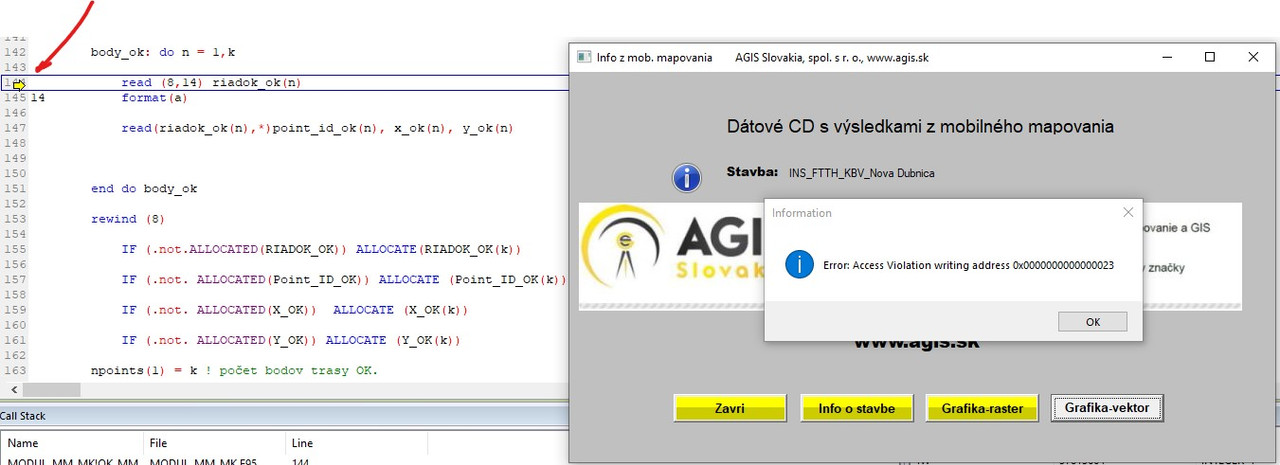
When debugging, after pressing the button GRAFIKA-VECTOR I get the following: https://i.postimg.cc/KYZwJmPY/debug.jpgtoshiba spacebar not working

The first input file opened in the subroutine is declared as follows:

OPEN (8, FILE = 'plan_trasa_OK_v_bodoch.txt', ACCESS = 'SEQUENTIAL', STATUS = 'OLD', POSITION = 'REWIND', ERR = 1)

In the same way is also declared the second one.

For the button Vector graphics is called a callback from the main program, which starts the subroutine first and then within the subroutine at its end is called the plotting function.

The call back for the graphics button is as follows:

INTEGER FUNCTION vektor_graf()
    USE CLRWIN
    USE modul_mm_mk
    IMPLICIT NONE
    CALL OK_MM 
   
!     i = plot_OK_MM ()  call to  this plotting function is moved to the !subroutine and is invoked at the end of the subroutine before RETURN
                                  
     vektor_graf = 1
END FUNCTION vektor_graf

At present, I have NO SAVE statement in the code at all. Should I place the SAVE statement and its testing in the callback above?

Thanks!

16 Feb 2021 1:10 #27106

Martin

I think that I would need to see the code in order to comment further.

16 Feb 2021 1:41 #27107

OK, I will send full code - thanks!

16 Feb 2021 5:18 #27109

I found the problem! Now, the program works fine.

The problem was that I placed the construct

                IF (.not.ALLOCATED(RIADOK_OK)) ALLOCATE(RIADOK_OK(k))

        	IF (.not. ALLOCATED(Point_ID_OK)) ALLOCATE (Point_ID_OK(k))

        	IF (.not. ALLOCATED(X_OK))  ALLOCATE (X_OK(k))

        	IF (.not. ALLOCATED(Y_OK)) ALLOCATE (Y_OK(k))

on the wrong place in the subroutine – after the DO LOOP which reads in the data from the specified input file.

So, the run-time error and the debugger were right! The DO loop tried to read in the input data using allocatable variables which were NOT yet ALLOCATED!

Now, I put the construct BEFORE the DO loop, so the data are already ALLOCATED when the DO loop starts reading them!

I was totally blind – sorry!

Please login to reply.