Silverfrost Forums

Welcome to our forums

Pie chart

20 May 2011 9:01 #8275

Some time ago i posted OpenGL pie chart example.

https://forums.silverfrost.com/Forum/Topic/823

OpenGL is amazing and simple tool, it makes your code data presentation so much better. I am not an expert in OpenGL at all, i learned it as everything else just by the examples made by this compiler developers. The light sources and specular reflections would be great to add there -- they add final touch, charm and glamor of pro artists. And automatic and manual text placement. They are formally there but do not work like i'd like them ideally look. Together with the major adjustment tools (many others are hidden in Menu) the pie chart look like this

http://img685.imageshack.us/img685/7519/pie.png

Hopefully here are someone who can bring this to the new level. I'd like to see it like this one.
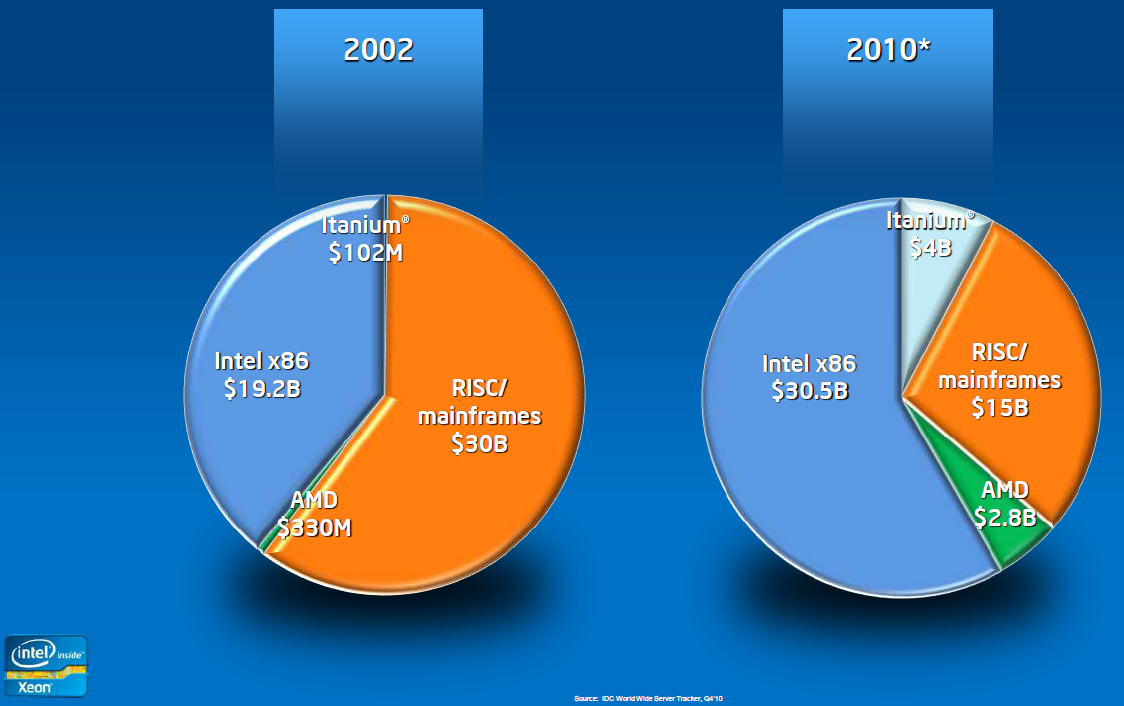
http://images.anandtech.com/doci/4285/Risc_loss.png

9 Aug 2012 2:39 #10573

Here is another example of shadows and reflections which make image look lifelike. I tried everything and gave up to achieve that. Would like to know how.

http://www.blogcdn.com/www.engadget.com/media/2012/08/npd.jpg

9 Aug 2012 10:22 #10578

Dan,

The book 'High resolution computer graphics using FORTRAN 77' by Ian O. Angell and Gareth Griffith, ISBN 0-333-40399-1 Macmillan (1987) covers this sort of lighting, but you would need to translate the graphics primitives into OpenGL or Windows graphics, as in the book they are of the sort current in 1987.

In very primitive terms you need to light top and left, and darken right and bottom (or if the lighting is top right, swap the sides).

I don't use my copy of the book, and am happy to post it to you .... if you want it, send me a postal address via PM.

Eddie

[Edit] ... and I do have a general idea which part of the world it would go to! E

Please login to reply.